
Make the big calls on numbers you've already checked.
Every month Dragon Finance screens every account in the books, checks each balance against its other record, shows you what looks wrong and how much is at stake, and lays out the options before you decide.
Read-only connection to Xero, or drop files from any accounting system into one box.
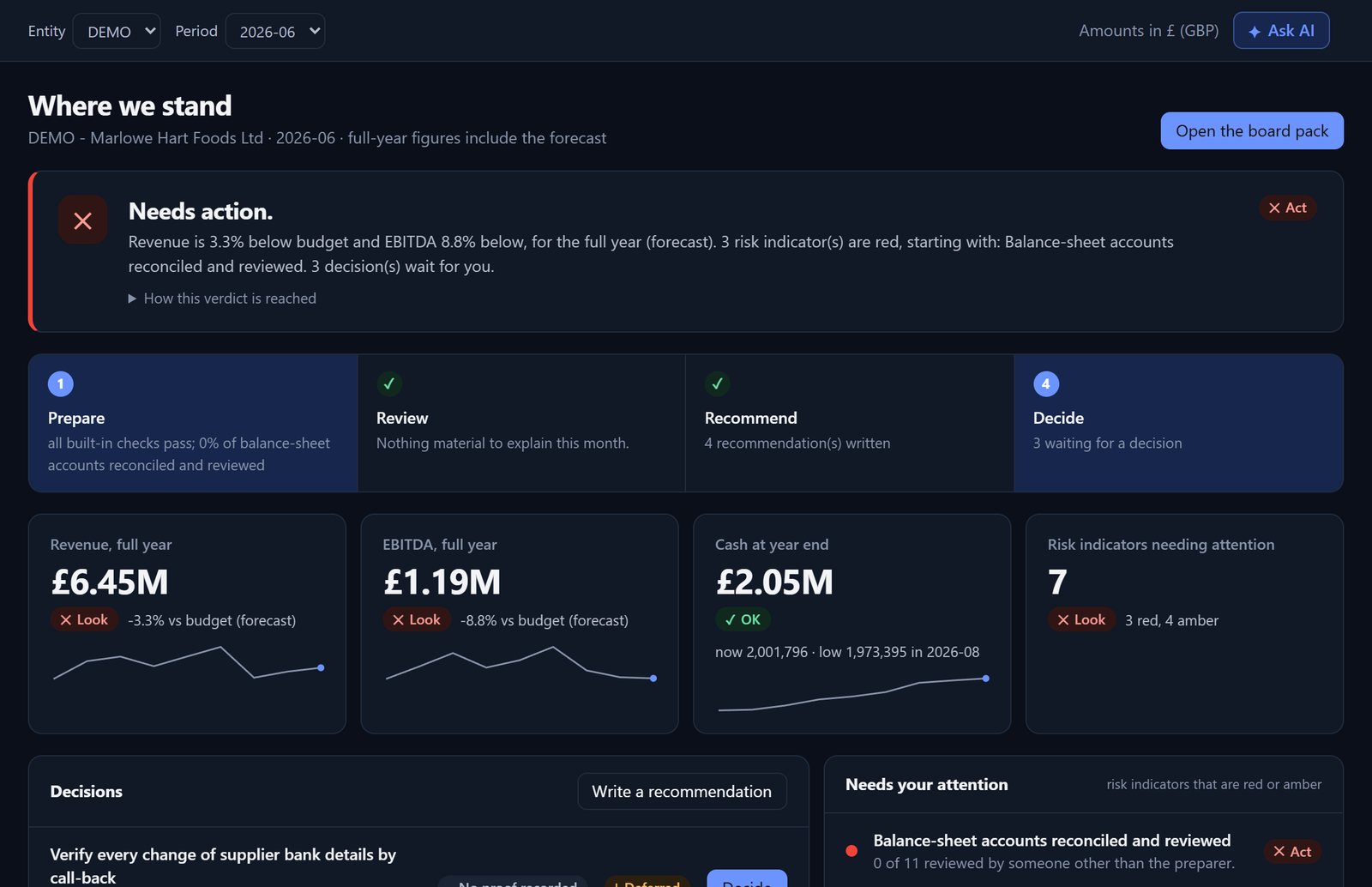
Most finance teams find the problem after the decision.
The error turns up after the board pack has gone out.
The forecast lives in a spreadsheet only one person understands.
Six months on, nobody can say why the decision was made.
From the books to a decision you can stand behind.
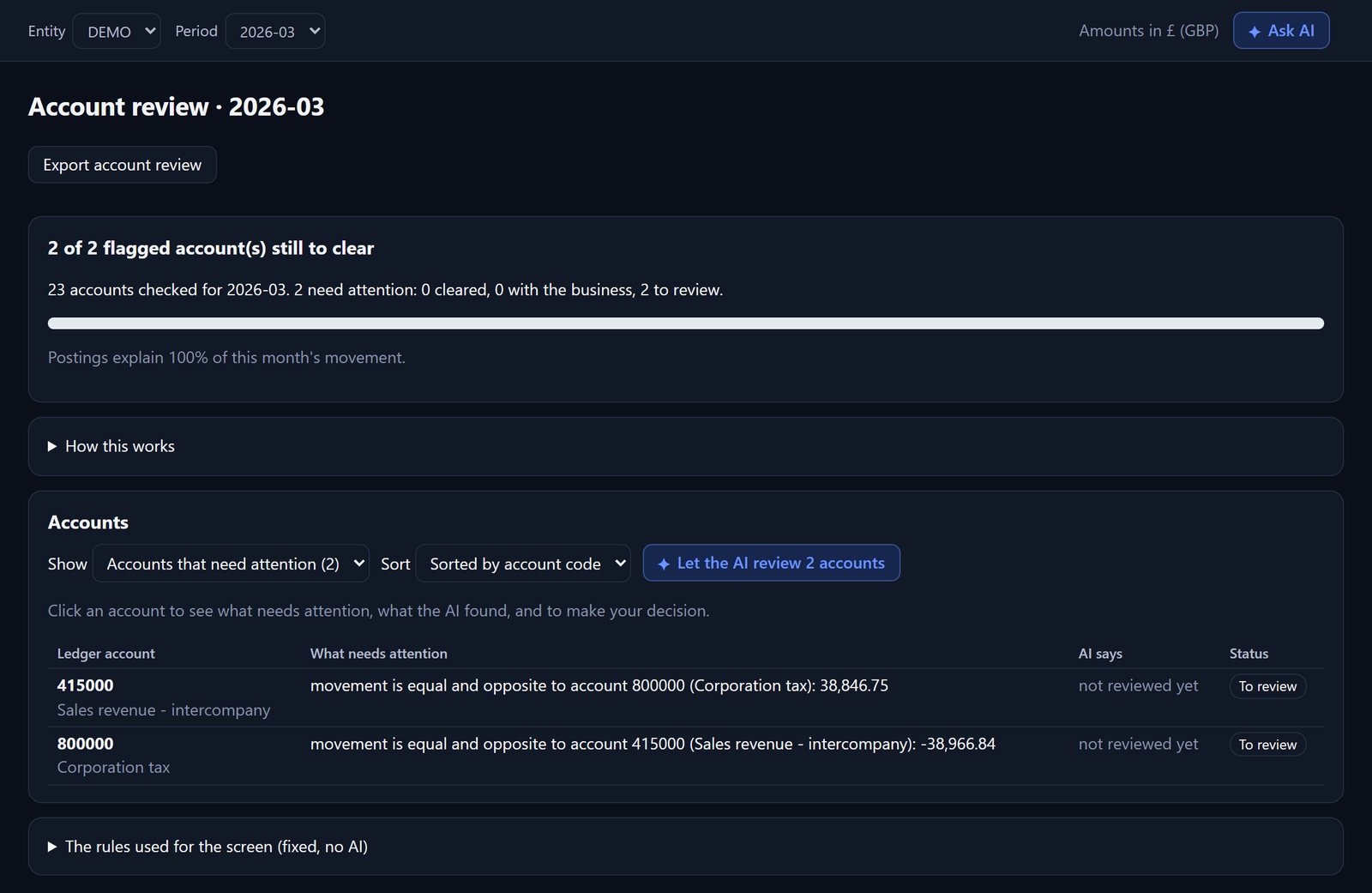
Know what's wrong.
Every account is screened each month and laid out as your profit and loss and balance sheet. Fixed rules flag suspense balances, balances on the wrong side, unusual swings, missing regular postings, payroll that jumps or stands still, and spend running away from budget. Each flag shows the amount at stake and a question for the business that you can edit and send.
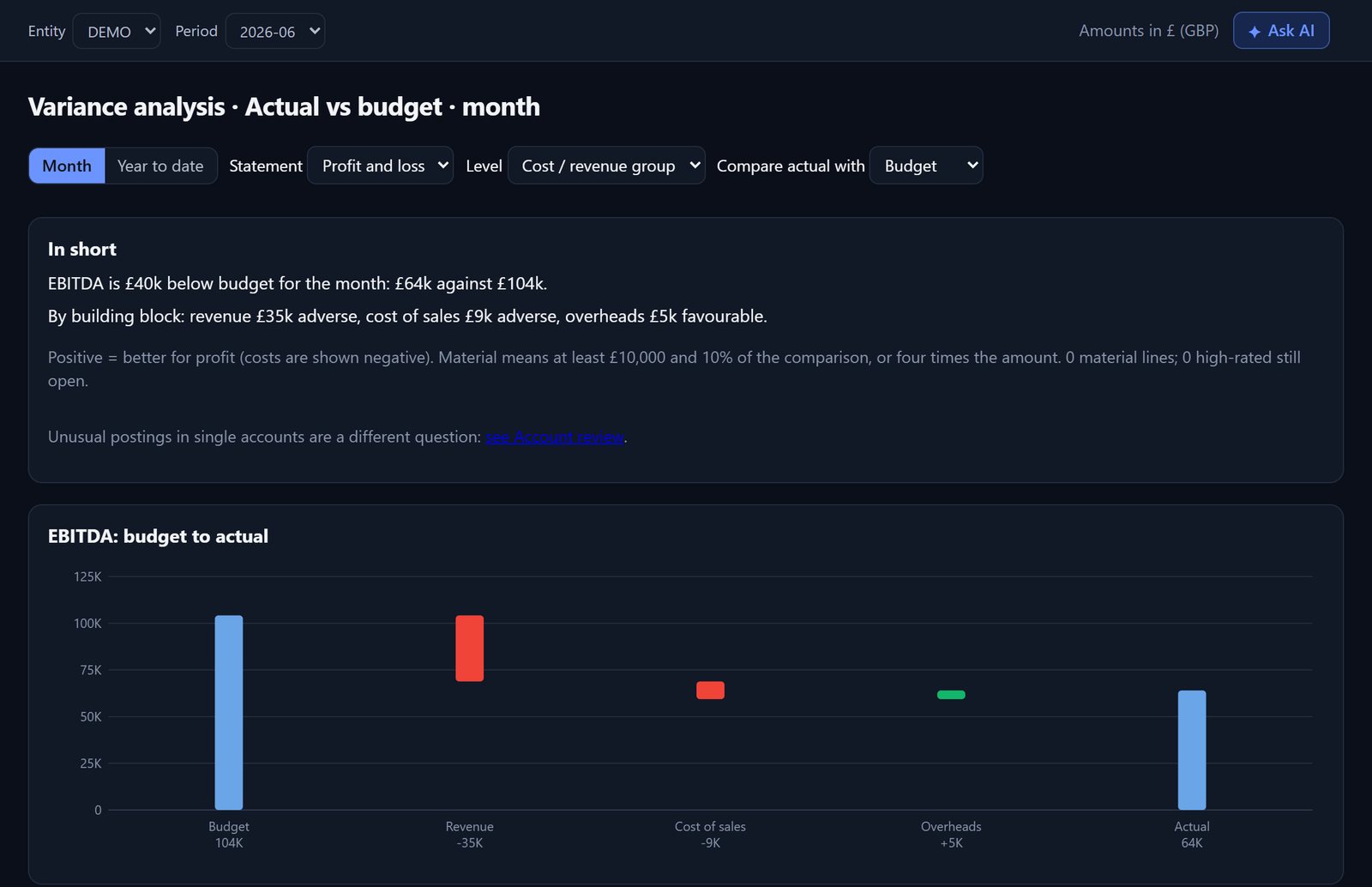
Know what it means.
Variances are traced from the report line to the account and the journal. Cash runway, a 13-week cash view, covenant headroom and risk indicators sit in one place, so there is nothing to rebuild in a spreadsheet.
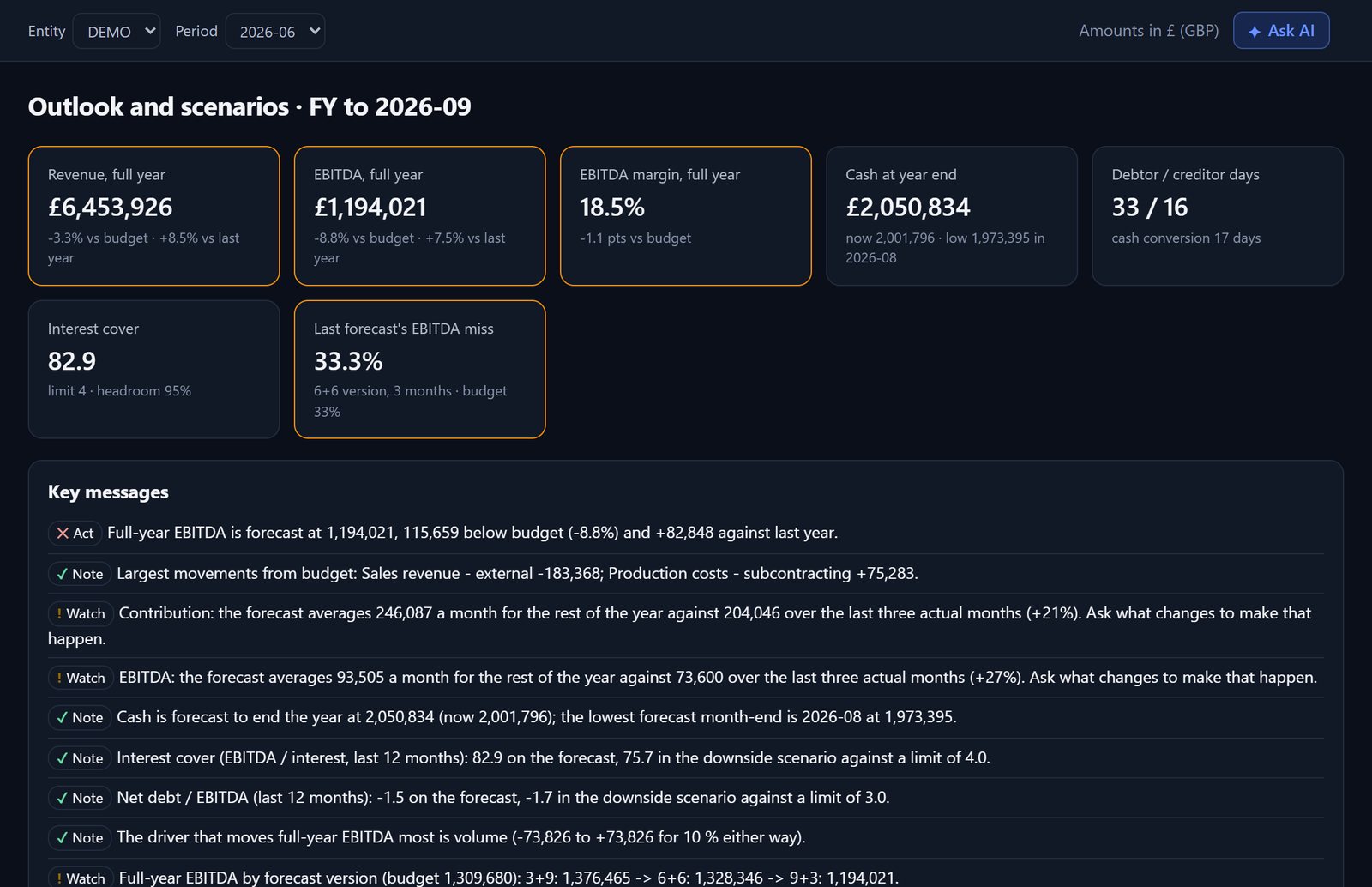
Decide with the options in front of you.
Run scenarios, or test a price change, an investment, a lease or a new loan. Budgets and forecasts are kept as dated versions, so you can see what was approved and how two versions differ. The decision is saved with the figures behind it and the alternatives you rejected. Later, the actual result is read from the books.
Prepare, compare, approve, close.
Every balance against its other record
The bank statement, the customer or supplier list, or the period-end schedule sits beside the ledger postings. You see one number, the difference, and the AI can explain where it may come from. Corrections are made in your accounting system.
Period-end schedules
Prepayments, accruals, deferred and accrued income, checked item by item against the ledger. Upload a supplier invoice and it is read and split month by month for you to confirm.
Journals and rules
Journals are searched and tested, with the unusual ones queued for review. The thresholds that decide what is flagged are yours: set them by hand, or ask the AI to propose them for the business.
One prepares, another approves
Nobody reviews their own work. Ask a colleague a question on the account itself, and each person sees what is waiting for them in one list.
A close you can show
A checklist with owners and due dates. Only an approver can close or reopen a month, with a reason, and a closed month cannot be changed. The month's evidence and the audit log download in one click.
Reports and packs
Over thirty reports, from management accounts to board, lender, investor and owner packs, as branded PDFs or Excel workbooks with the formulas left in.
AI is optional and works when you ask. Client data is used for analysis only, never to train models.
Three steps, every month.
-
1
Connect
Read-only to Xero, or drop files from Sage, QuickBooks, Dynamics, SAP or Excel into one box. Trial balances, ledgers, bank statements and schedules are recognised for you.
-
2
Review
The software flags and explains. A preparer answers or queries, and a different person approves.
-
3
Decide
Weigh the options, record the decision, and see how it turned out.
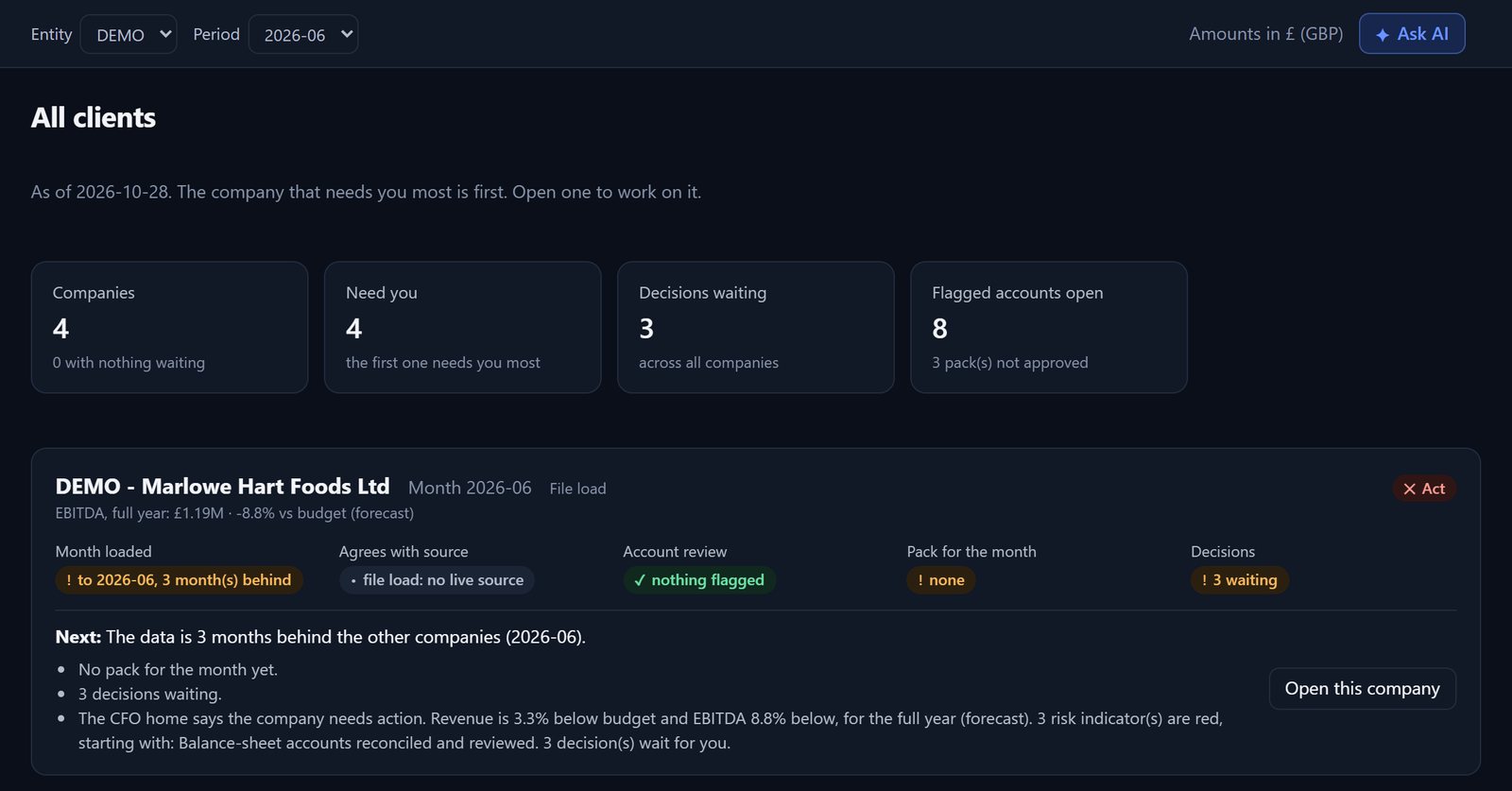
All your clients on one screen. The one that needs you sits at the top.
Which month is late, which company's books don't match Xero, which flags are still open, which decisions are waiting, and what has changed since you last looked. One list, in order of urgency.
Reporting tools show you the numbers. Dragon Finance questions them first, then helps you act.
We're taking a small number of pilot finance directors.
Dragon Finance has been tested on sample companies and on Xero's demo company. It hasn't yet run on a real client's books, and that's what the pilot is for.
We do
Set it up free, connect one company with its owner's consent, and meet weekly.
You do
Use it for two month-ends and tell us honestly whether it caught real problems and saved you time.
Questions first?
KAPM Limited is a London company, established in 2010. Email the team about a pilot place, a walkthrough, or anything else about Dragon Finance.